Luxonis OAK-D
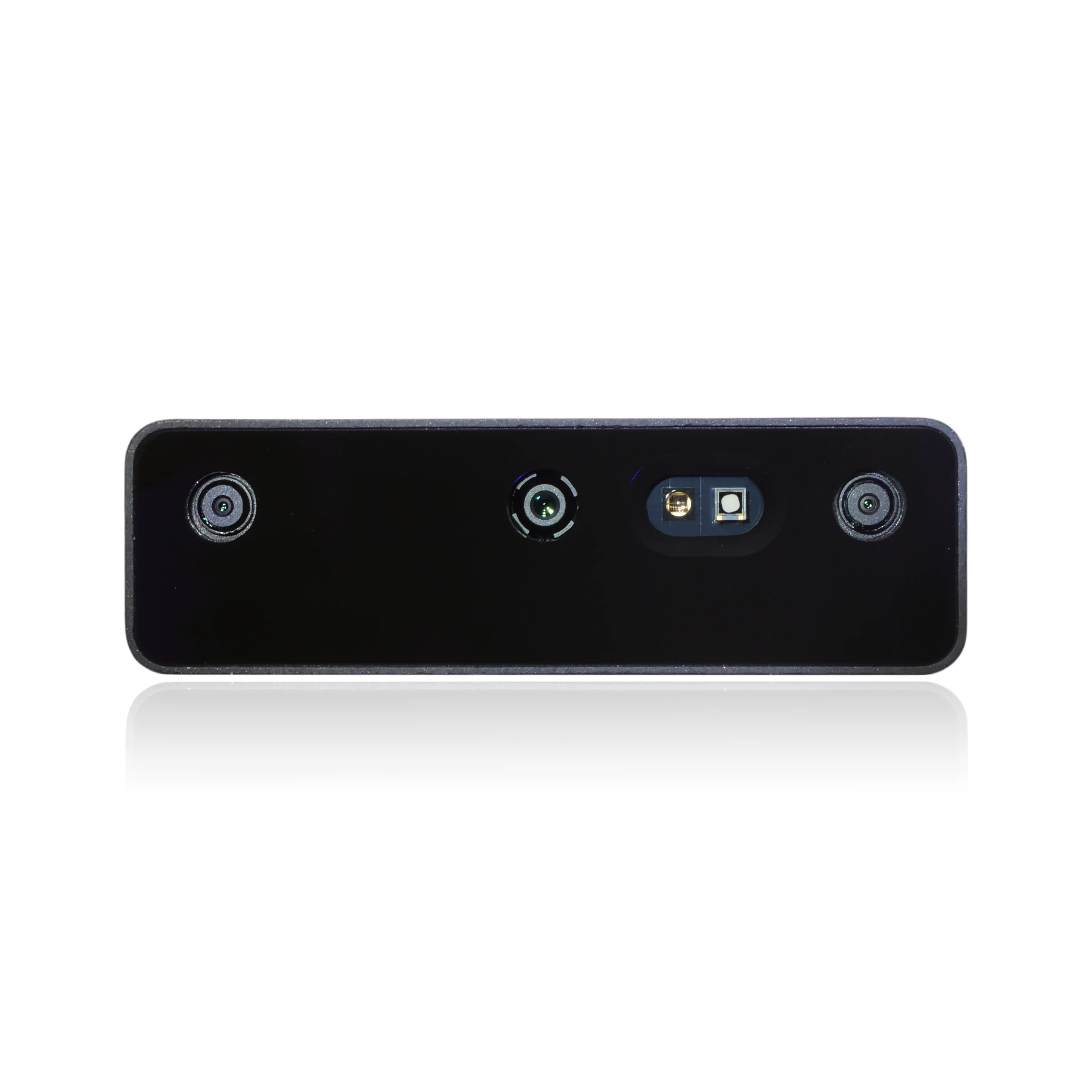
Item Numbers
| Description | CPR Item | Sales Kit | Installation Kit, With Fasteners |
|---|---|---|---|
| Luxonis OAK-D Pro | 025961 | ||
| Luxonis OAK-D Lite | 025963 | ||
| Luxonis OAK-D Pro W PoE | 032195 | 034284 | 034285 |
Software Bringup
This sensor is included in the Clearpath Robotics robot package that is installed on all of our robots. This allows you to add or remove the sensor from your robot's software description by modifying the robot configuration yaml.
 | |
Package and Setup
Luxonis OAK-D cameras use the depthai_ros_driver ROS 2 driver. The driver is open-source,
maintained by Luxonis, and hosted on GitHub. This
package and its dependencies are installed alongside the clearpath_sensors package.
For specifics on the way Clearpath's configuration system launches the camera, see the Luxonis OAK-D
launch file
and the default parameter file
in clearpath_sensors.
Device Type
The device_type parameter specifies what specific model of OAK-D camera is used. Supported types are:
pro: the OAK-D Pro (default);lite: the OAK-D Lite; andpro_w_poe: the OAK-D Pro W PoE
Pipeline Types
The camera.i_pipeline_type parameter controls what data the camera produces. The following pipeline types are supported:
| Pipeline Type | Description |
|---|---|
RGB | RGB camera only (no depth or stereo output) |
RGBD | RGB camera with stereo depth (default) |
RGBStereo | RGB camera with stereo pair |
Stereo | Stereo pair only (no RGB) |
Depth | Depth output only |
DepthToF | Depth output using Time-of-Flight |
StereoToF | Stereo pair using Time-of-Flight |
Point Clouds
When using a depth-capable pipeline type (RGBD, RGBStereo, Stereo, Depth, DepthToF, or StereoToF),
a PointCloudXyzNode from the depth_image_proc package is automatically launched alongside the camera driver.
This node converts the stereo depth image into a sensor_msgs/msg/PointCloud2 message.
The point cloud is generated from the stereo/image and stereo/camera_info topics and is published
on the points topic under the camera's namespace.
To enable point clouds, set the pipeline type to RGBD (or another depth pipeline) in your robot configuration:
camera:
- model: luxonis_oakd
  urdf_enabled: true
  launch_enabled: true
  parent: top_plate_front_mount
  xyz: [0.0, 0.0, 0.0]
  rpy: [0.0, 0.0, 0.0]
  ros_parameters:
    luxonis_oakd:
      device_type: pro_w_poe
      camera:
        i_pipeline_type: RGBD
      stereo:
        i_fps: 30.0
        i_height: 720
        i_width: 1280
If you do not need point clouds and only require an RGB image stream, set i_pipeline_type to RGB.
Point clouds are not generated when using the RGB pipeline type.
Multiple Cameras
If you have multiple OAK-D cameras configured, you must specify either the camera.i_mx_id
(for USB cameras) or the camera.i_ip parameter (for ethernet/PoE cameras).
See Luxonis' documentation for instructions on how to determine your camera's IP address or MxId.
Troubleshooting
Clearpath is committed to your success. Please get in touch with us and we will do our best to get you rolling again quickly: support@clearpathrobotics.com.
To get in touch with a salesperson regarding Clearpath Robotics products, please email research-sales@clearpathrobotics.com.
If you have an issue that is specifically about ROS and is something which may be of interest to the broader community, consider asking it on Robotics Stack Exchange. If you do not get a satisfactory response, please ping us and include a link to your question as posted there. If appropriate, we will answer on Robotics Stack Exchange for the benefit of the community.